*warning, this post might be a bit stream of consciousness but IS all about the same topic and does have some summary info at the bottom.
I’ve been seeing a lot of Xteink readers show up in my feed and they look REALLY appealing. Smaller than an iphone and hackable. The model that isn’t out just yet: https://www.youtube.com/shorts/REKdjxYtMrI and existing: https://www.xteink.com/ * caveat apparently they are not possible to hack anymore? Firmware change? Check before you buy for that reason.
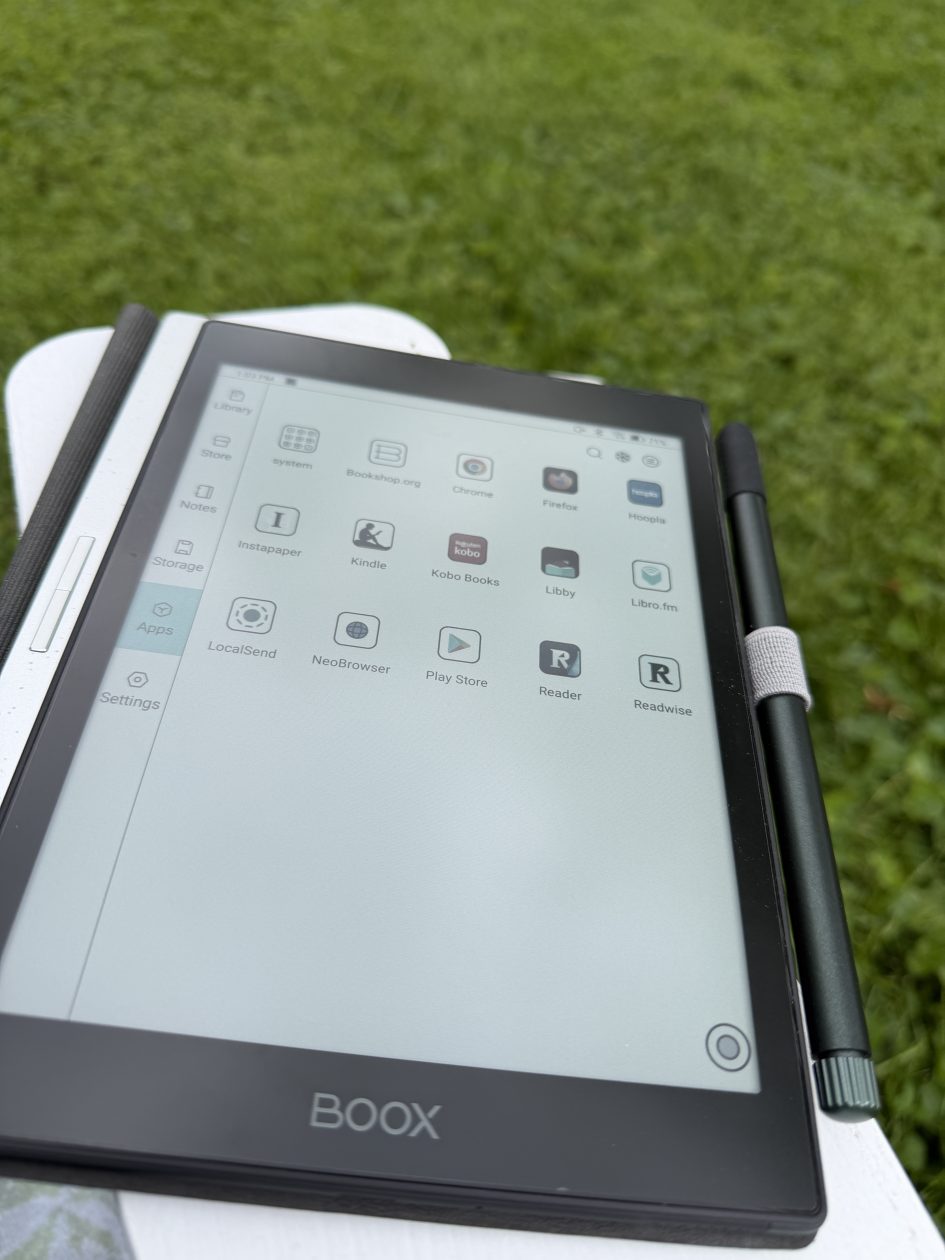
But e-ink & I usually don’t get along for a number of reasons. I had borrowed and configured Tim’s color Boox (he wasn’t using it and he has my ipad mini hyper configured) so I decided to give it another shot because I don’t need to get another device.
I had configured the gestures to be as similar to the iphone last summer so it’s actually a quite nice reading device.
I realized the two reasons I hadn’t taken to using the Boox last summer:
- 1) Location: I was trying to use it at the pool where the wifi is a pain and wasn’t preloading books. I was able to connect it to my phone but that’s just painful. So location was bad.
- 2) Reading app: I was trying to read Kindle books. Kindle app is terrible on this device. Download the book the way you would expect and it hangs because of a popup? My kindle library is also chaos so I haven’t been really happy with Kindle for awhile … well really have I ever been happy with Kindle?
Kobo as an app is SO much better. Part of this is because I can archive a book if am not interested in it being easily available. I don’t have to delete it (and deleting from Kindle means you’re going to have to re-purchase it – at least when I tried to get one I had deleted back onto the device that’s what happened with one.)
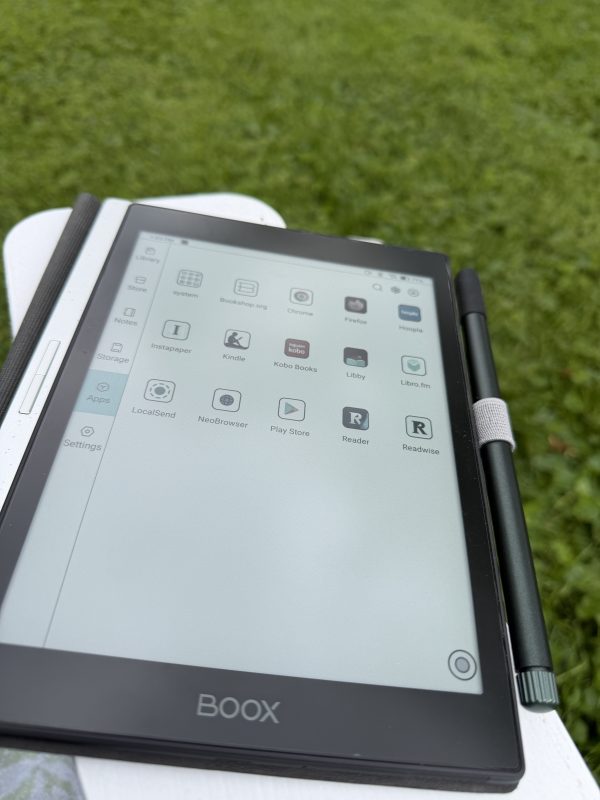
Hoopla and Libby are also good. But Libby is hard to highlight on and Hoopla has no notes or highlights export. But if you’re just reading and taking notes another way it doesn’t matter. Both are for library books (and if you really want to get into highlighting, Libby does do exports and does better on the phone than e-ink.)
So … I’m an eink book reader now. Just in the yard with wifi.
The KOReader has shown up on my radar twice in the last week. And then this showed up, how to get it on an old Kindle: https://www.howtogeek.com/i-put-this-open-source-reader-on-my-kindle-and-i-wish-i-had-done-it-sooner/ I still have a Kindle Paperwhite from 2012 (which has recently been made obsolete) so it’s tempting to jailbreak it. Which I don’t have the bandwidth for right now.
SO I also started looking at how to read the epubs and pdf books I had in storage.
There ARE some DIY “no cost” options (they still cost time in setup) and after some research I’ve settled on using Readwise Reader because it will also help me get the notes out of existing various other systems like the Kindle & Kobo which will save me time.I can export the notes into other systems or even a csv or markup file. Ideal world I would probably use Calibre or Zotero for reading and highlighting but the setup and learning curve and trying to get it to work with ios and the boox just exhausts me at the moment. https://read.readwise.io/
Let’s backtrack for a minute and do the whole “workflow” for my reading these days.
I used to live off of a library card. Piles of books. Artificial deadlines to read them.
My starting place has for as long as I can remember been the library. No parent telling me no or that I’m spending too much money. And I almost always had a book to read while waiting to be picked up as a kid (which lets be honest was a LOT, I had a dance instructor leave me at a Taco Bell with a note on the dance studio door because my parents were so late one night.)
Moved out, started a business, needed to learn, needed to read. On a budget (nonexistent.) Library.
Years later, a few more things happened:
- 1) I bought a kindle thinking it would make carrying around a LOT of books easier
- 2) I became aware of just how negatively people’s perfumes impacted me
- 3) 90% sure that also people started wearing more perfume as their senses were deadened by perfume and other things.
The worst was actually accidentally checking out a large print book and of course as you age your sense of smell gets worse … The book had SO much perfume it hurt. I have an offgassing process I can go through to make things bearable but with book deadlines I just stopped getting books from the library.
Enter the phase of trying to figure out how to read and keep up with digital library books. Mostly I kept missing deadlines and still didn’t manage to read anything because I now didn’t have a physical pile.
What about the kindle I bought for buying books and also library books? I mostly just avoided it. I didn’t have a workflow for keeping track of what I was reading. Collections didn’t exist when I bought the kindle paperwhite in 2012. I had loaded it up with cheap and free books too which made it more of a mess. Even once collections existed it felt like it was too late.
What changed? 2025 and most my podcasts turned into two topics over and over even when that wasn’t the original focus of the podcast. I wanted something to listen to on walks. I started reading audiobooks from the library instead.
There was a learning curve with audiobooks I hadn’t managed to break through before.
Back to the library: I could check out books for free and see what worked and what didn’t.
- Hate the narrator but maybe like the book? Return it and make a note.
- Business book has too many charts and graphs it doesn’t bother talking through? Return it and make a note.
- Business book is good, has charts and graphs but maybe want to take notes? Decide if it’s worth listening to the audiobook anyway or … once again make a note.
- Slow business book? Can it be understood at 2x speed? Or just return the audiobook and check out the ebook and skim it.
I usually don’t buy audiobooks and end up buying a physical or ebook copy if something was a great reference but there are a couple of exceptions. There are a few books like Micheal Hyatt’s Free to Focus where I want to listen to it maybe once a year because it’s rather timeless and motivational.
How do I know if a book is available at the library? https://www.libraryextension.com/
Keeping up with the library ebooks and audiobooks.
We’re not going to get into why I have more than one library card but it’s not uncommon. I will however note that some libraries let you access both Hoopla AND Libby apps and with different access to different books with different return rates. For awhile I actually had an app set up to remind me of book deadlines but I decided instead to check out fewer books and try and read them faster and then return them before they were due so that I wasn’t seeing books I had already read.
BUT another important thing for going digital here became creating a single source of truth for where I had books and what books I was currently reading.
Enter https://www.librarything.com It’s not gorgeous but I’m a spreadsheets type of person. In fact I actually started my attempt at staying organized in a spreadsheet but there were too many moving parts and I wanted book covers and ISBN info and … a database really. I figured it was the next step for getting things under control.
AND I can export it out and feel comfortable with the fact that I have a backup copy as a CSV/TSV file. I’m not putting the work into something that can dissappear.
This let me catalog physical books, books I already owned in Kindle format and other formats and then also my extensive book wishlist (which had become unsearchable as an Amazon wishlist and I wanted to get rid of anyway.)
I’m not going to fault you if Librarything is not your cup of tea and there are other tools out there: GoodReads (owned by Amazon), Storygraph, Fable, Hardcover and some being built on Atprotocol. But I have a single source of truth about what I’m reading and can make a note of where in a way that works for me. Preferences of tech skills are probably going to play a part in what works for you. Or just get a notepad?
But I’m REALLY organized in Librarything at the moment:
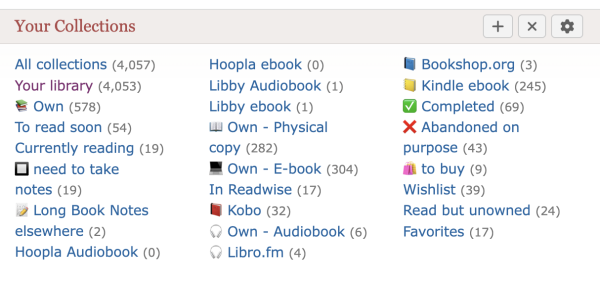
I haven’t yet gone back and done ALL of the books I think I’ve ever read and “Your Library” isn’t accurate and I don’t need it but couldn’t figure out where the 4 book difference is from “All Collections.” So there’s some cleanup still to do but I can at least figure out what I’m “Currently Reading” and where on another screen.
I think this brings us mostly full circle on the reading at this point.
The apps on my Phone (iOS) and the Boox (BOOX Nova3 Color):
- Hoopla & Libby (library books)
- Kindle (legacy – I no longer buy books this way with a few small caveats)
- Kobo (where I’m buying most of my ebooks now – just a much nicer reading interface)
- Libro.fm (drm-free audiobooks)
- Readwise Reader
Additional tools:
- https://www.libraryextension.com/
- Bookbub – discovery or wishlisting something I want to buy as an ebook but not quite at the normal MSRP (some books are $30+ so yeah)
- Bookshop.org (physical books and very rarely an e-book – price thing again)
Very occasionally I’m looking for something that’s old or out of print and I have a pile of resources for that that I’m not going to post here because it’s a lot.
All that said – if you don’t have a reaction to perfumes on books, just get yourself a library card and go to the library. Get started. Learn about what works for you. Put return dates and reminders on your calendar so you don’t learn the wrong lessons about library fines.